Strategy
We beoordelen welke processen geschikt zijn voor AI, rekenen de business case door (kosten en opbrengsten) en brengen risico's, data en schaalbaarheid in kaart.
Resultaat
Een strategie en een concreet actieplan.
Wat levert AI uw bedrijf onder aan de streep op? Elk bedrijf is volop aan het experimenteren, maar slechts 1 op de 4 slaagt erin om serieuze waarde te creëren (BCG). Aloita helpt middelgrote bedrijven en instellingen om écht te profiteren van AI. Van strategie en business case tot volledige integratie met positieve ROI en beheersbaarheid op de lange termijn; qua technologie én kosten. Wij hebben de kennis, software en tools om veiligheid, potentie en AI-fitheid van het bedrijf en data te beoordelen en te optimaliseren waar nodig. U ziet de top van de ijsberg, wij organiseren alles onder water.

Geen losse experimenten of snel getrainde en niet schaalbare agents, maar een solide AI strategie met procesintegratie die bijdraagt aan de doelen van uw bedrijf op een verantwoorde manier.
Nieuwe diensten en kanalen die zonder AI te duur of te traag waren om op te zetten.
Processen die sneller lopen, met minder handmatige stappen en minder wachttijd.
Lagere kosten per transactie, per dossier of per klantvraag. Meetbaar, niet geschat.
Terugkerend werk dat AI-agents betrouwbaar overnemen, terwijl u de volledige controle houdt.
Wij bouwen zo dat u zelf bepaalt welk model u gebruikt. Wisselen van provider is een instelling, geen project.
Waar mogelijk kiezen we Europese leveranciers en hosting, zodat data en regelgeving geen verrassingen opleveren.
Elke implementatie begint gecontroleerd en klein. Pas als het aantoonbaar werkt, schalen we gefaseerd op.
Elke organisatie is uniek en vereist maatwerk. Wij werken gestructureerd via standaarden en onze eigen ontwikkelde protocollen om altijd tot het beste resultaat te komen en niets te vergeten. U weet exact wat we gaan doen, waarom het belangrijk is en wat we opleveren voor een heldere prijs.
Van een eerste trigger (succesvolle pilot of interessant idee) naar strategie en plan.
Van data-inrichting naar schaalbaarheid, ROI, veilig testen en volledige integratie.
Blijven verbeteren door nieuwe inzichten, wensen, wetgeving en techniek.
Wij bieden drie diensten die naadloos op elkaar aansluiten. U kunt instappen waar uw organisatie nu staat, afhankelijk van uw vraag en doelstellingen. Vaak begint dat met een strategievraag (welk idee of proces wel of niet automatiseren en waarom) of met een succesvolle pilot die moeilijk op professionele wijze is op te schalen. Wij stellen alle vragen waar u wellicht niet aan heeft gedacht en helpen deze gezamenlijk te beantwoorden en te organiseren waar nodig. Na oplevering van een proces blijven wij ervoor zorgen dat het blijft werken en steeds beter wordt op basis van wensen, inzichten of veranderde marktomstandigheden.
We beoordelen welke processen geschikt zijn voor AI, rekenen de business case door (kosten en opbrengsten) en brengen risico's, data en schaalbaarheid in kaart.
Resultaat
Een strategie en een concreet actieplan.
We bouwen AI-processen conform standaarden en regelgeving, met eigen of marktsoftware. Inclusief datamanagement, infrastructuur, training en een duidelijke interne verantwoordelijkheid.
Resultaat
Een gecontroleerde pilot, daarna gefaseerd live.
Monitoring en onderhoud: nieuwe koppelingen, gewijzigde wetgeving en nieuwe inzichten worden doorgevoerd zonder dat u opnieuw moet beginnen.
Resultaat
Continue verbetering met inzicht in prestaties en kosten.
We maken gebruik van verschillende standaardsoftware in de markt en ons eigen Aloita platform. AI-agents werken vanaf een bord, met goedkeuring, logboek en kosteninzicht. Alles is maatwerk, met focus op continuïteit, veiligheid en verantwoordelijkheid.
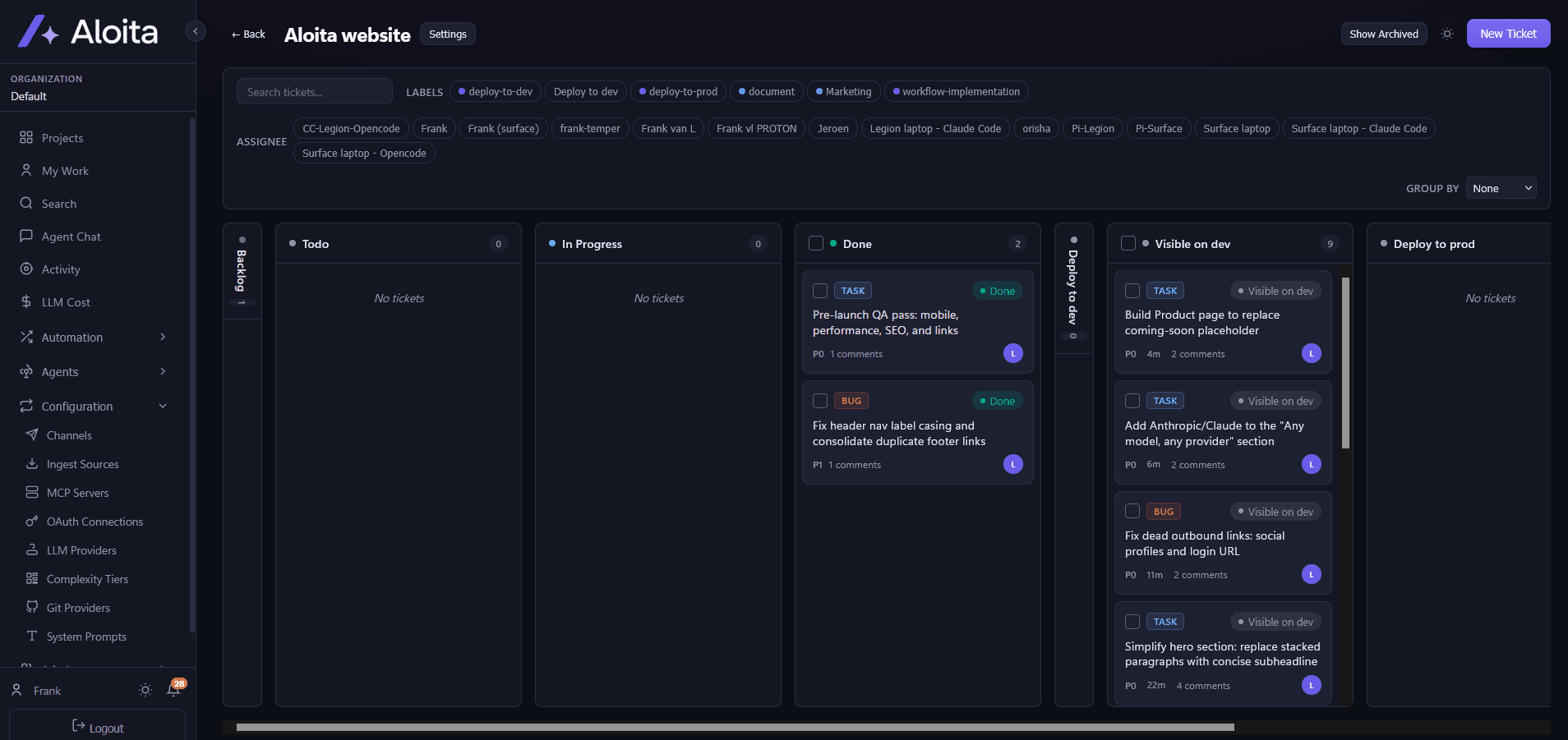
Elke AI-taak is een ticket met een eigenaar, status en logboek. Uw team ziet wat een agent doet en keurt goed waar dat nodig is.
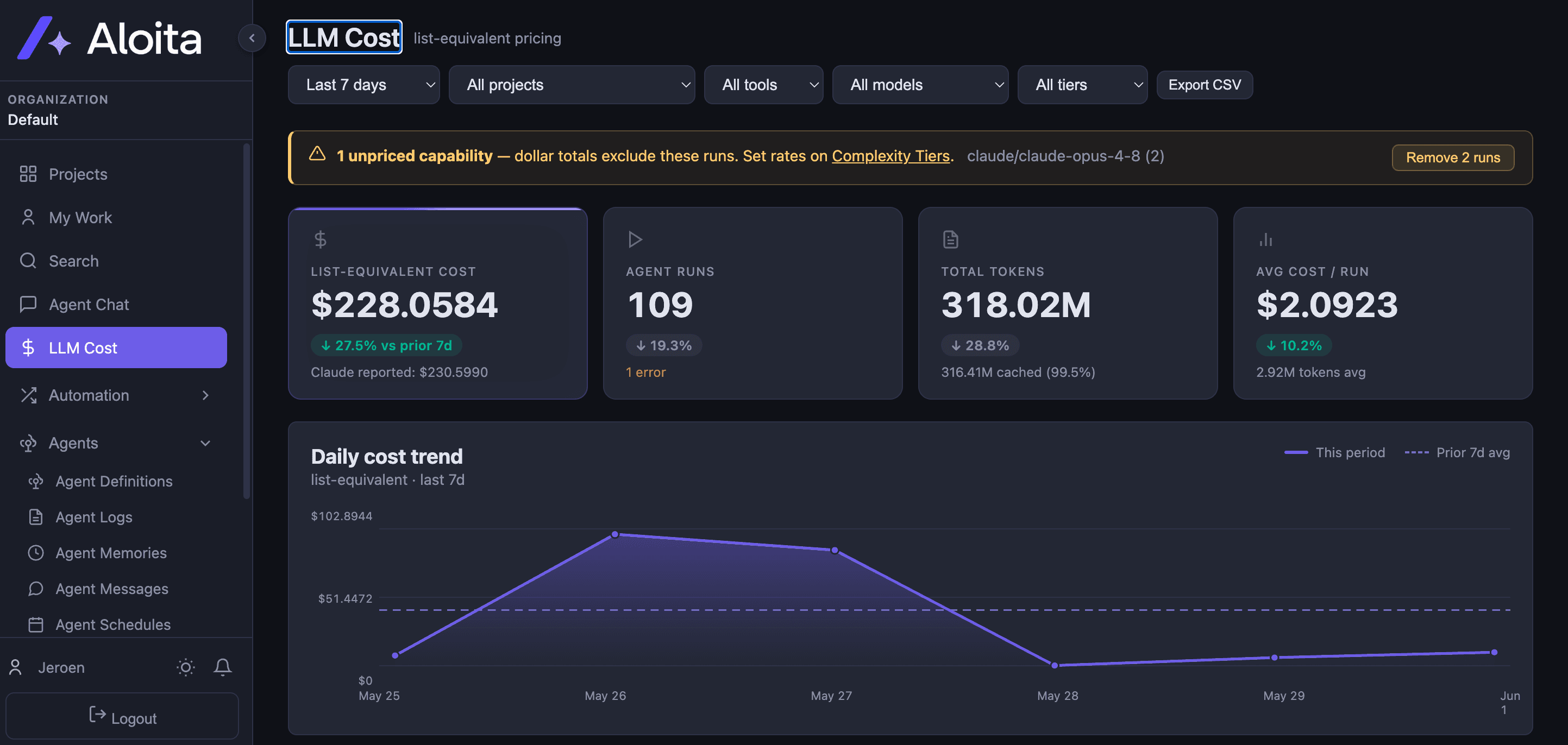
Volledige controle over kosten: per run, per model en per project inzichtelijk en te vergelijken, zodat de business case niet stopt bij de pilot.
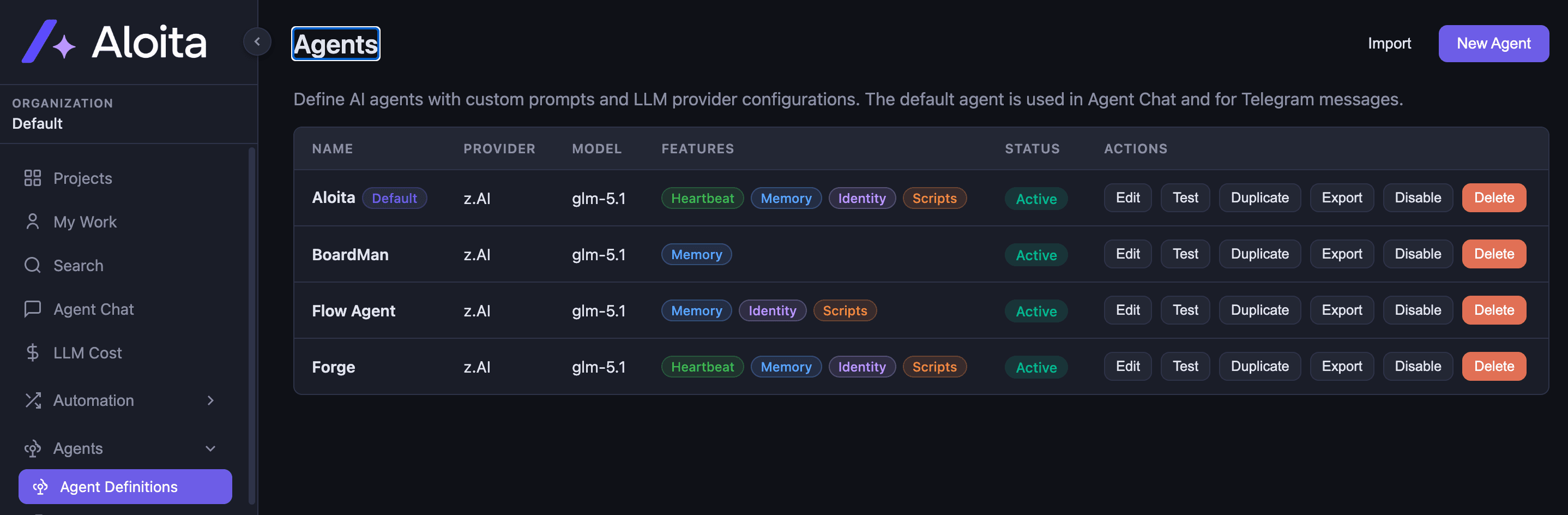
Agents draaien op het model dat u kiest. Wisselen van provider is een instelling, geen project.
Waar gaat tijd verloren aan werk dat AI betrouwbaar kan overnemen? Dat is vaak de eerste vraag bij het zoeken naar tijdsbesparing, groeimogelijkheden of duurzame concurrentievoordelen. Voor een aantal sectoren geven we praktische voorbeelden van processen die we herkennen en kunnen automatiseren.
Veel contactmomenten per woning, en elk moment telt voor de verkoop.
Waar tijd verloren gaat
Wat wij als eerste bouwen
Lead-opvolging die binnen minuten reageert, een bezichtigingsassistent die afspraken plant en bevestigt, en automatische woningcontent op basis van de meetgegevens en foto's.
Een klein team met een lange staat van dienst in consultancy, tech-leiderschap, data management en software-architectuur. Waar nodig hebben wij toegang tot een breed netwerk van consultants en engineers.

Managing Partner
Ruim 20 jaar ervaring in consultancy, business en operations management bij o.a. eBay, Adevinta, Marktplaats en De Persgroep.

CTO en Founder
Ruim 25 jaar als IT Lead Developer, Software en Proces Architect voor o.a. Suitsupply en diverse grote internationale ondernemingen en nationale instellingen.
Stuur een e-mail en we plannen een vrijblijvend gesprek in van 30 minuten. Geen pitch, wel een korte uitleg van onze werkwijze en een eerste inschatting van haalbaarheid en rendement.
contact@aloita.eu · Haarlem, actief in de Randstad