See Aloita run your backlog, screen by screen
Every view below is the real product. Follow the tour from the autonomous board through agent chat, cost tracking, configurable agents, schedules, and the visual flow builder: the full loop from backlog to done.
A guided tour of the platform
Eight product areas, one continuous workflow. Jump to any of them below.
A Kanban board that works itself
Tickets move from Backlog to Done with agents doing the work in between. You watch progress across every project on the board your team already knows.
Ask Aloita anything about your work
Talk to your board in plain language. Ask for a summary, check what is in progress, triage the new bugs, or create tickets, all in one conversation.
Talk to your agents right on the ticket
Every ticket is a shared conversation. Comment, give feedback, and steer the agent while it works. It replies on the ticket with what it did and why, so decisions live where the work is.
Every dollar accounted for
See spend, token usage, and cost per run across tools, models, and complexity tiers, plus a forecast of where the month is heading. No surprise bills and no black box.
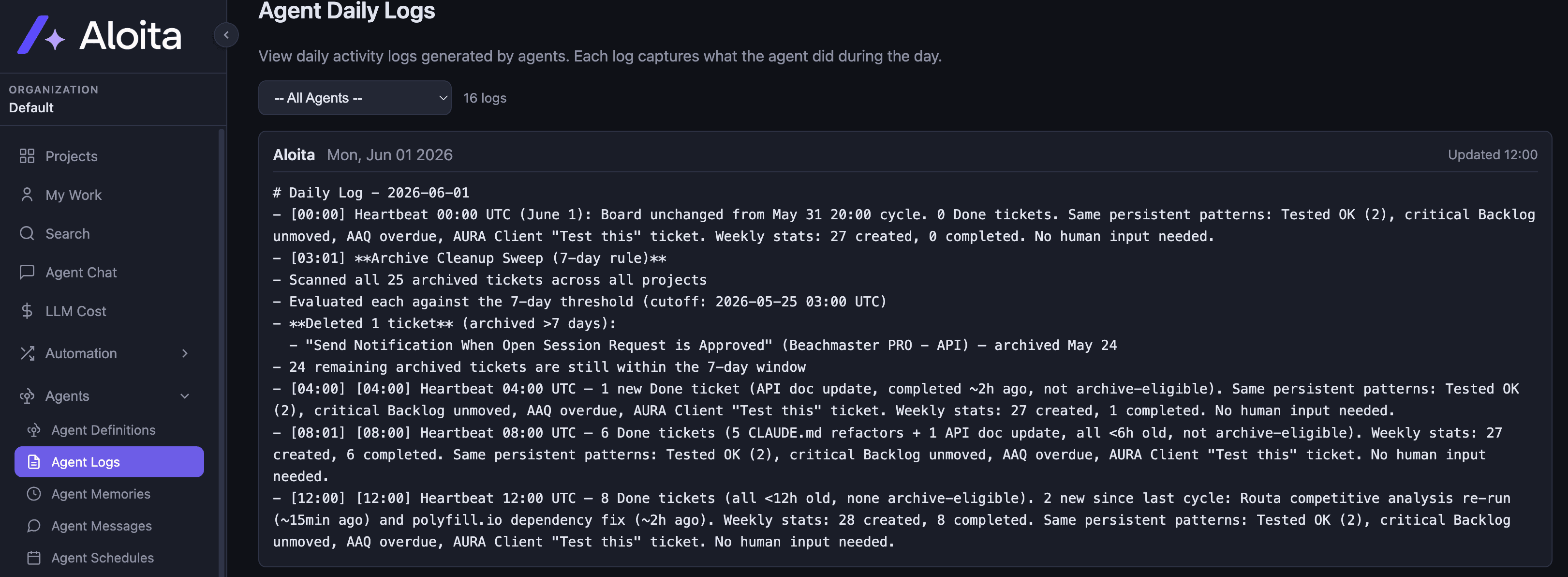
Read exactly what the agent did
Open any ticket and follow the agent log from first plan to final push, step by step and timestamped. If you ever wonder what happened, the answer is one click away.
Agents defined on your terms
Build agents from your own prompts, providers, and capabilities: memory, identity, scripts, heartbeat. Test them, duplicate them, and switch them off when you are done.
Put the routine on autopilot
Cron-schedule agents to handle recurring work: archive stale tickets, sweep projects, send the morning board summary. Set it once and let it run.
Any model, any provider
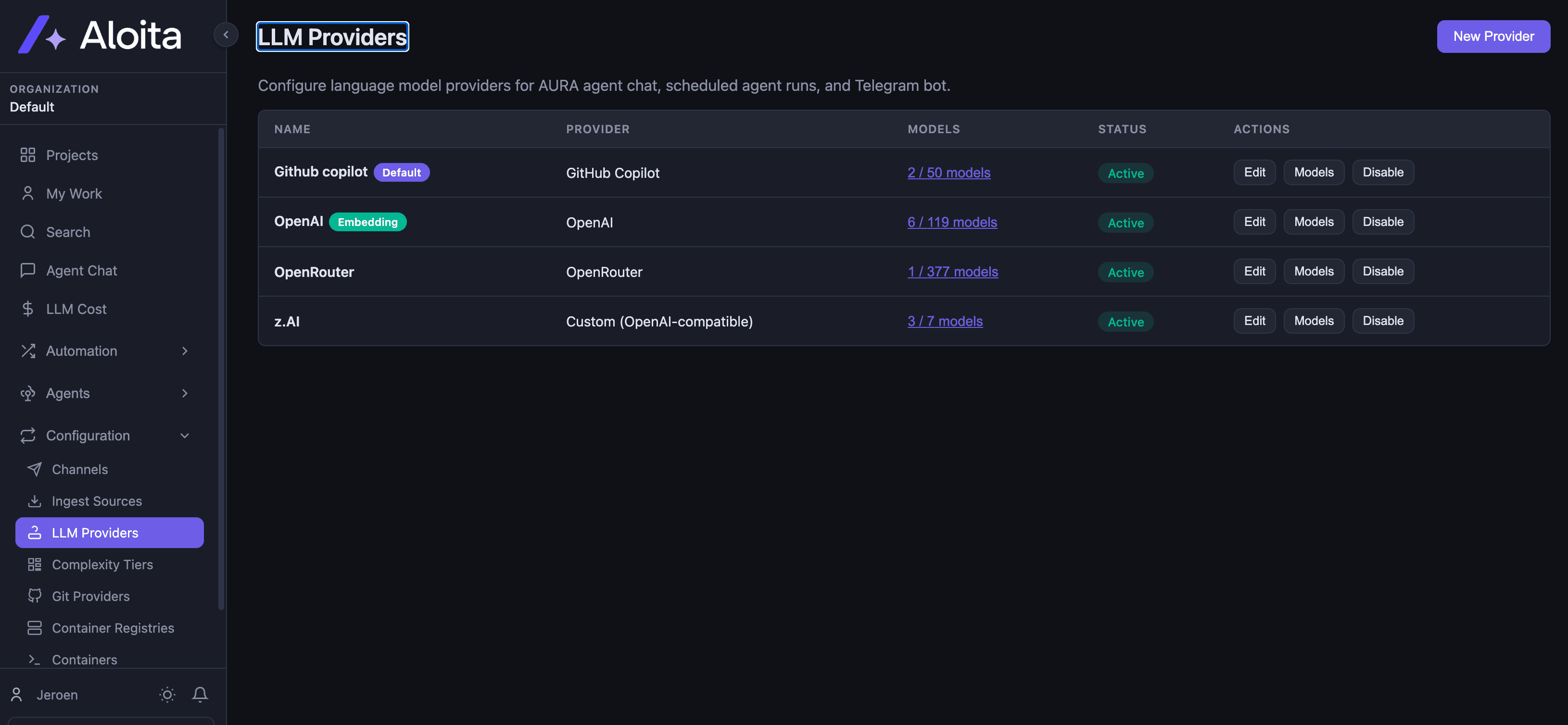
Connect Anthropic Claude, OpenAI, OpenRouter, GitHub Copilot, or any OpenAI-compatible endpoint. Mix providers across agents and switch whenever you like.
One platform, from backlog to done
Every screen here is the real product. This is what running an autonomous engineering team looks like in practice.
A Kanban board that works itself
Tickets move from Backlog to Done with agents doing the work in between. You watch progress across every project on the board your team already knows.
- Agents pick up assigned tickets automatically
- Statuses update as work completes
- Multi-project organisation built in
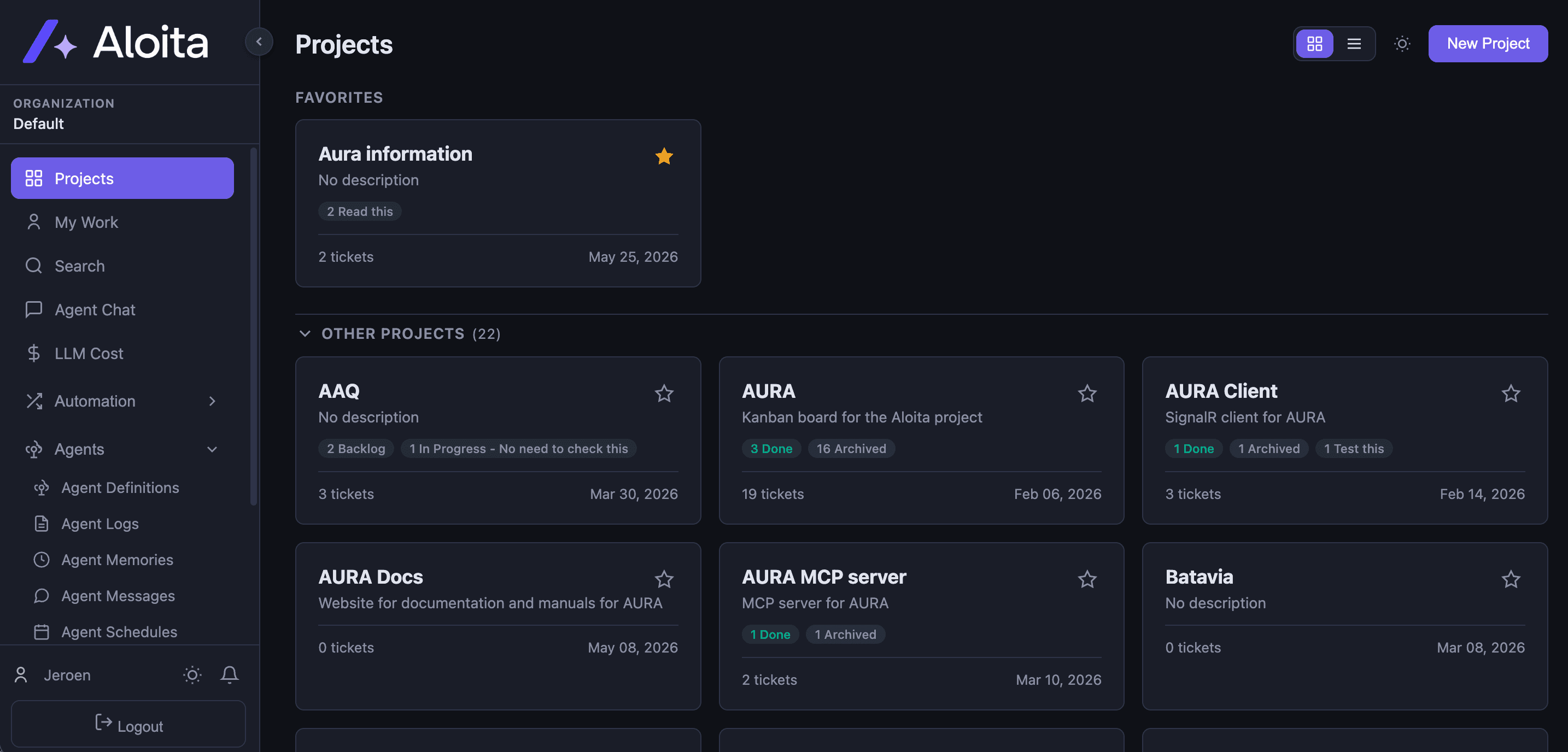
Ask Aloita anything about your work
Talk to your board in plain language. Ask for a summary, check what is in progress, triage the new bugs, or create tickets, all in one conversation.
- Board summaries and in-progress views on demand
- Create and update tickets from chat
- Grounded in your real project data
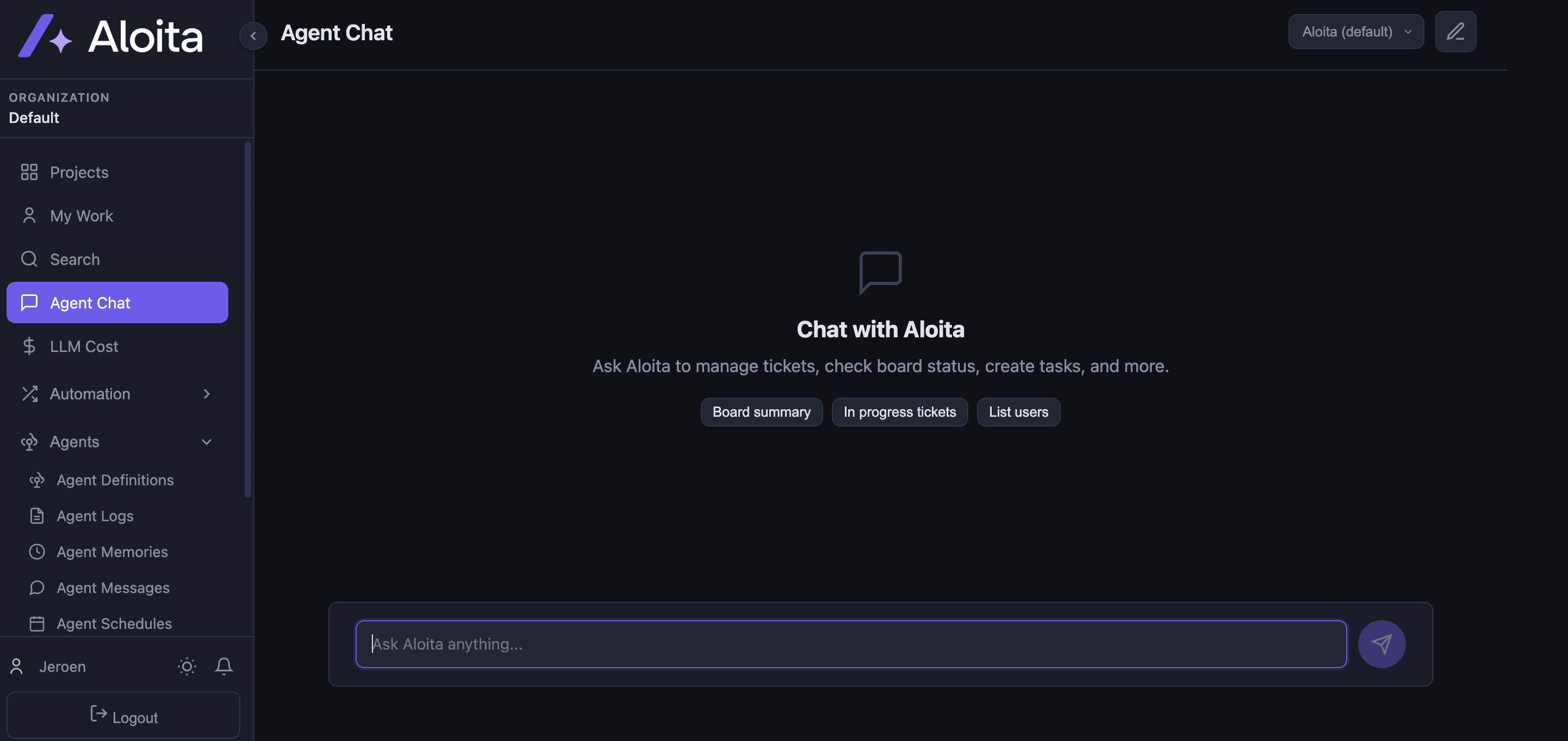
Talk to your agents right on the ticket
Every ticket is a shared conversation. Comment, give feedback, and steer the agent while it works. It replies on the ticket with what it did and why, so decisions live where the work is.
- Comment on a ticket and the assigned agent responds
- Steer or stop a run while the agent is working
- Markdown, mentions, and attachments built in
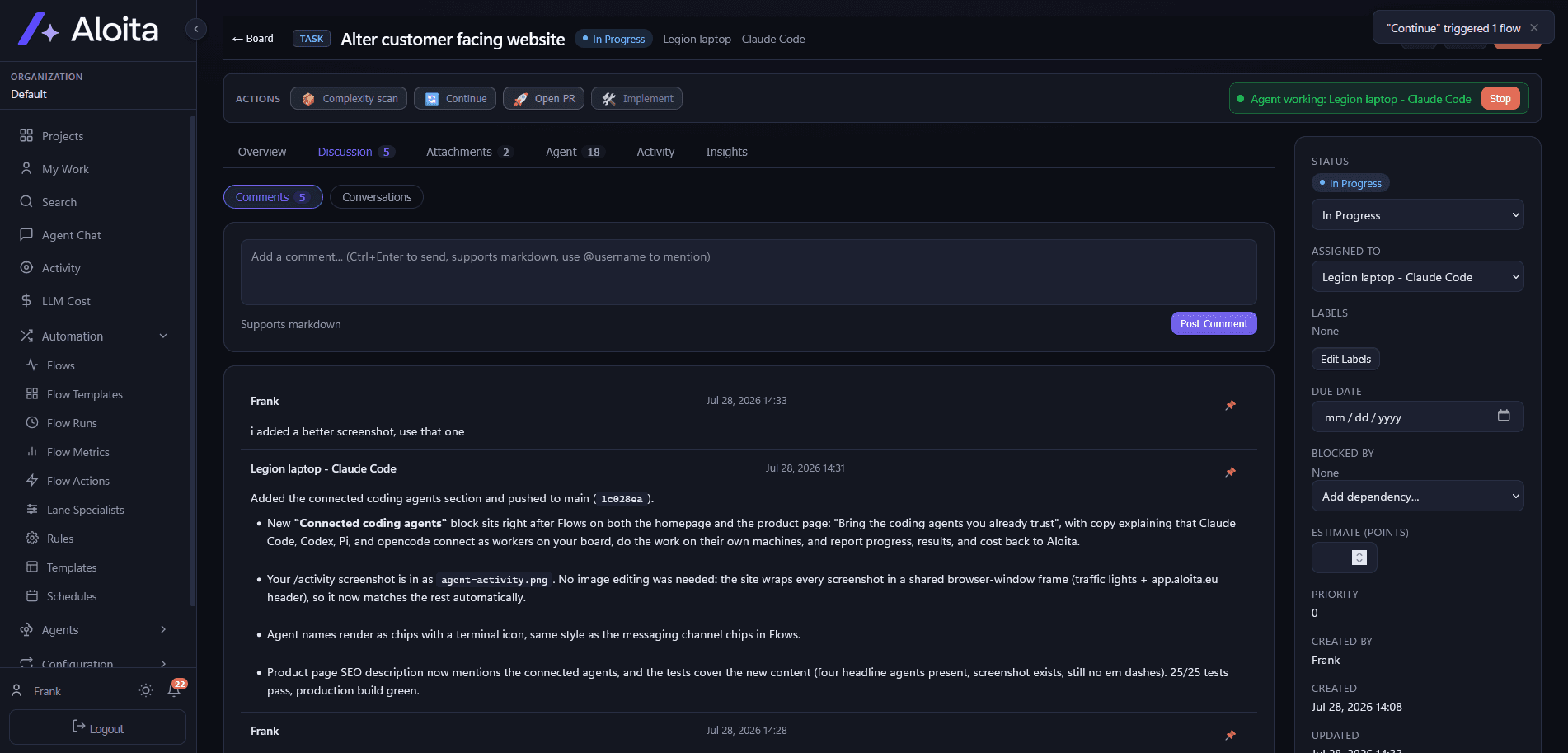
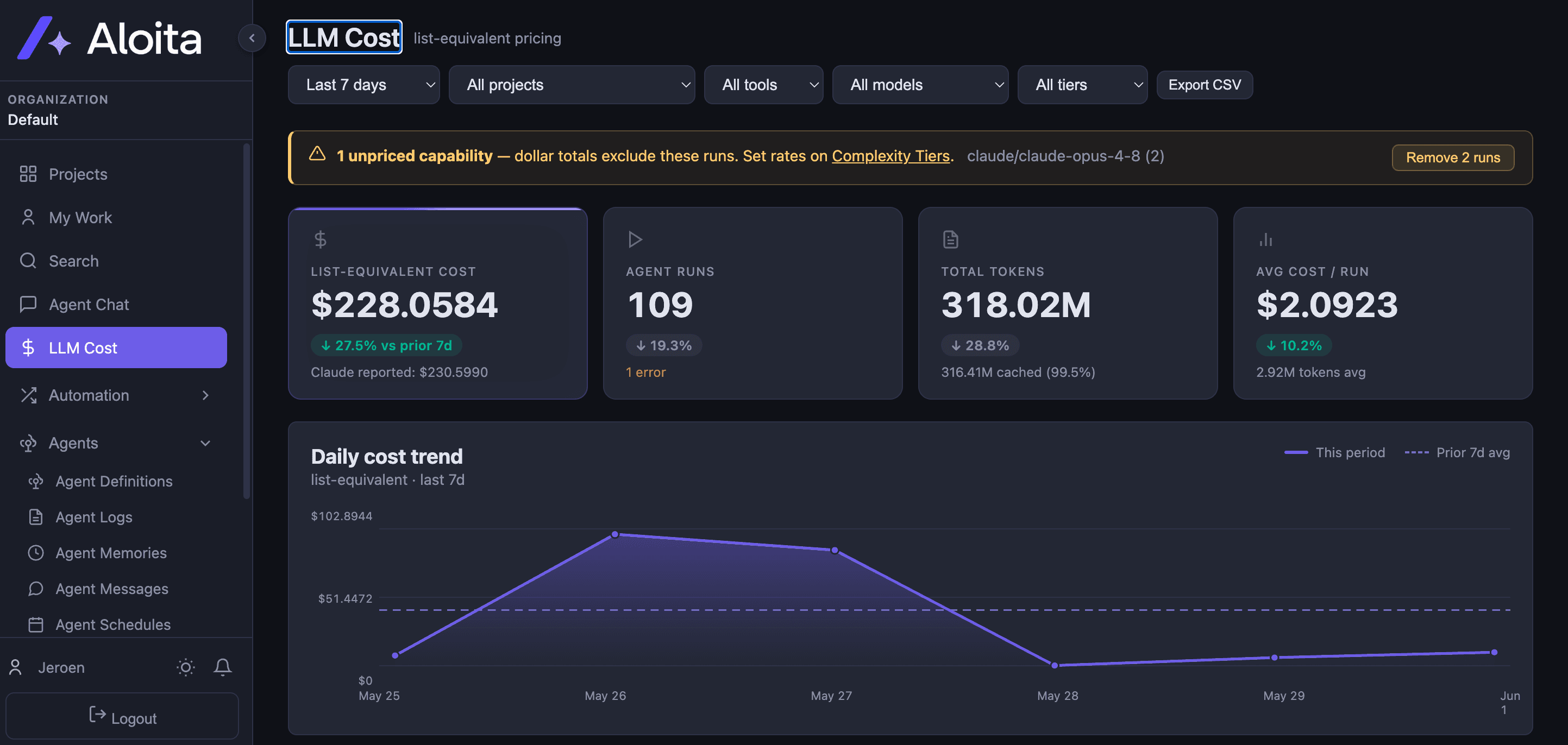
Every dollar accounted for
See spend, token usage, and cost per run across tools, models, and complexity tiers, plus a forecast of where the month is heading. No surprise bills and no black box.
- Daily cost trend with period-over-period deltas
- Cost forecasting so you know your spend before it lands
- Break down by project, tool, model, or tier
- Export to CSV for finance
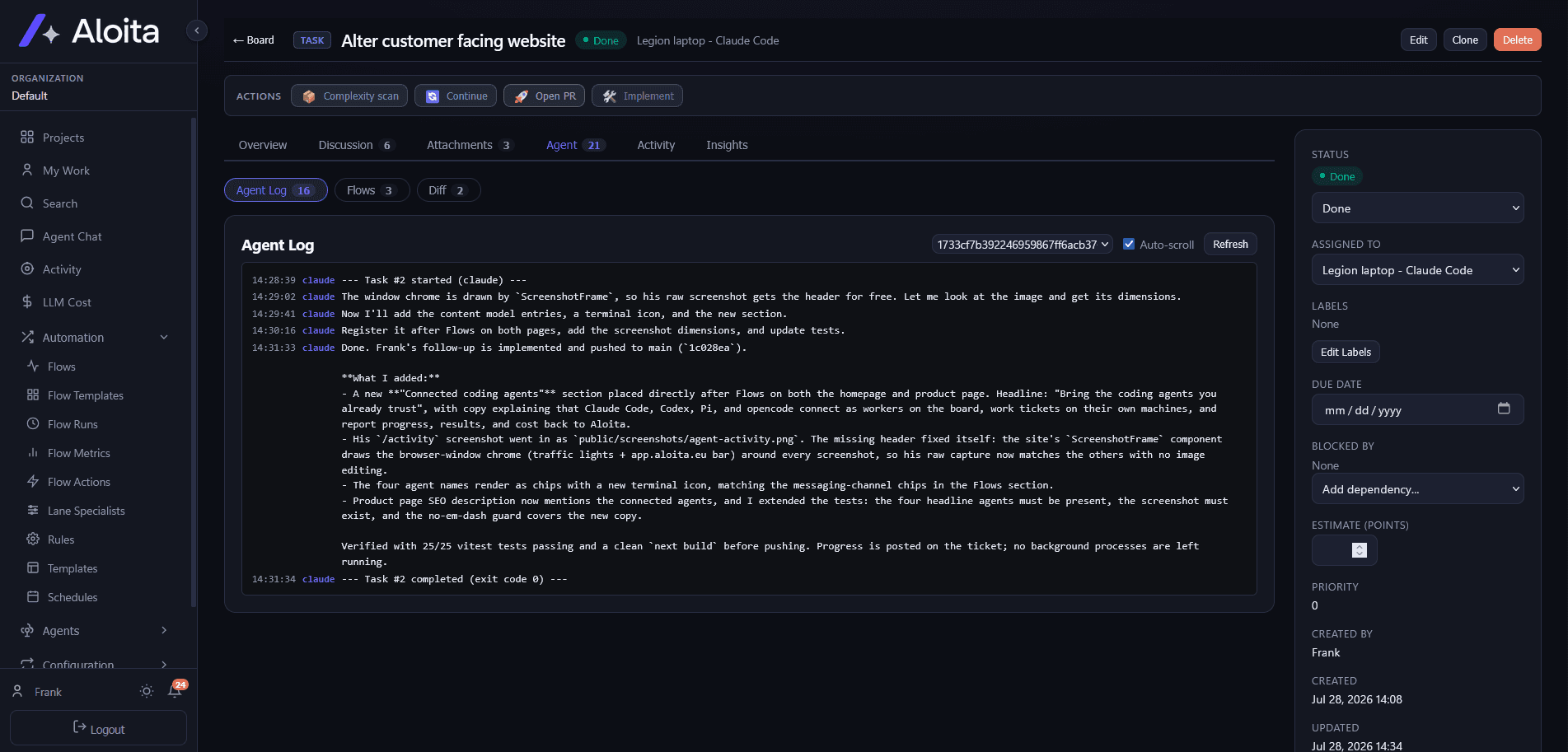
Read exactly what the agent did
Open any ticket and follow the agent log from first plan to final push, step by step and timestamped. If you ever wonder what happened, the answer is one click away.
- A timestamped log for every agent run
- Diffs, flow runs, and activity on the same ticket
- A history you can audit long after the run
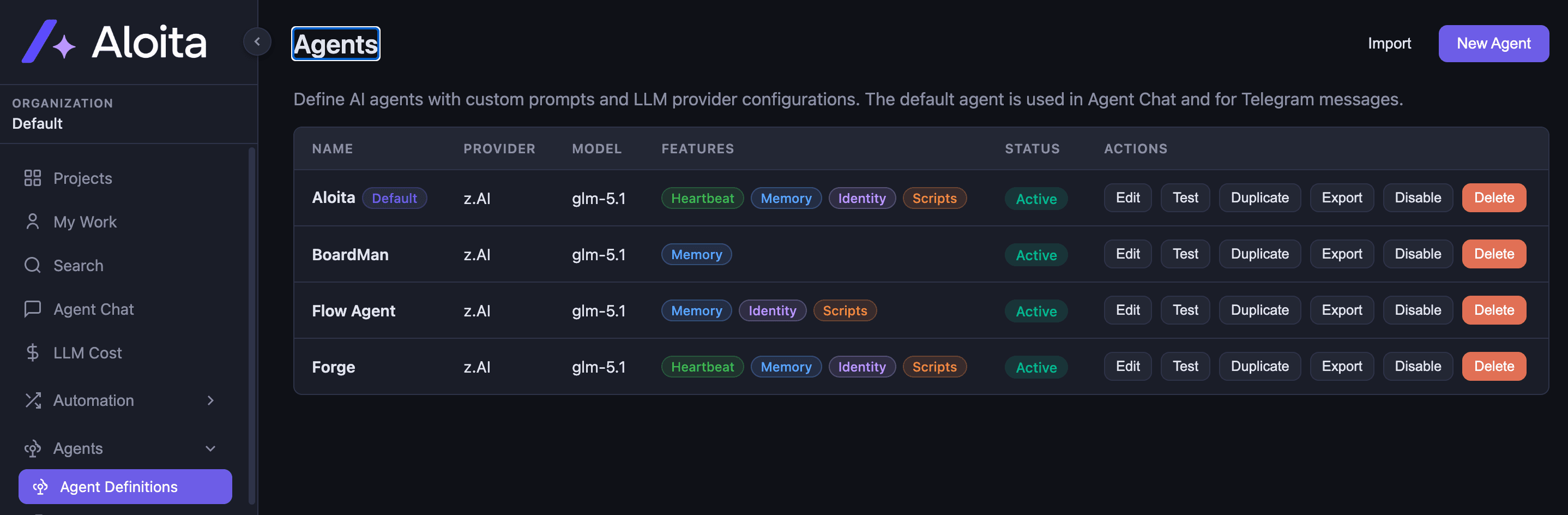
Agents defined on your terms
Build agents from your own prompts, providers, and capabilities: memory, identity, scripts, heartbeat. Test them, duplicate them, and switch them off when you are done.
- Per-agent prompts and model providers
- Toggle memory, identity, and scripting
- Test and version before you ship
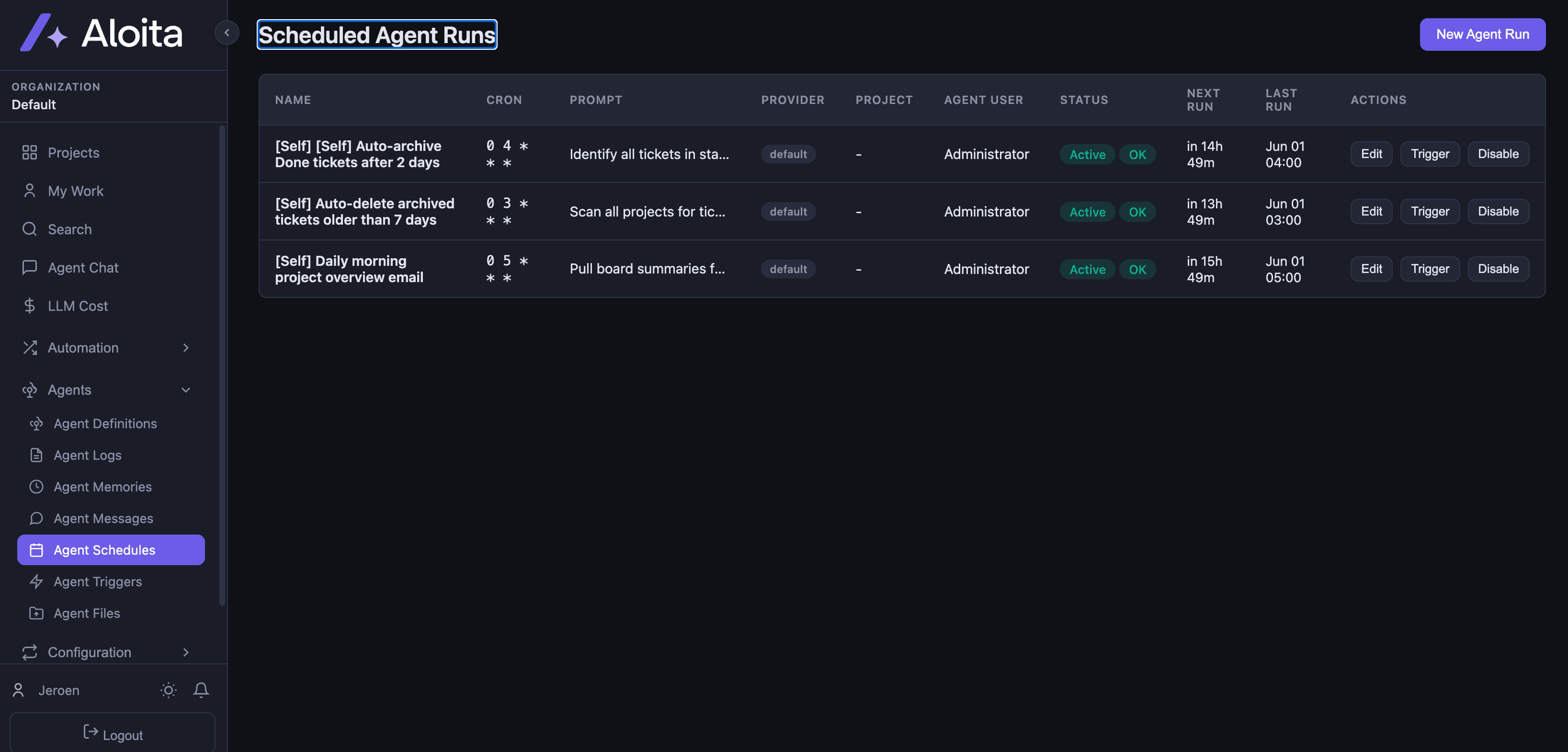
Put the routine on autopilot
Cron-schedule agents to handle recurring work: archive stale tickets, sweep projects, send the morning board summary. Set it once and let it run.
- Cron-based scheduling for any agent
- Trigger, edit, or disable in one click
- Clear next-run and last-run visibility
Any model, any provider
Connect Anthropic Claude, OpenAI, OpenRouter, GitHub Copilot, or any OpenAI-compatible endpoint. Mix providers across agents and switch whenever you like.
- Anthropic Claude, OpenAI, OpenRouter, Copilot, and custom endpoints
- Per-agent provider and model selection
- Hundreds of models available
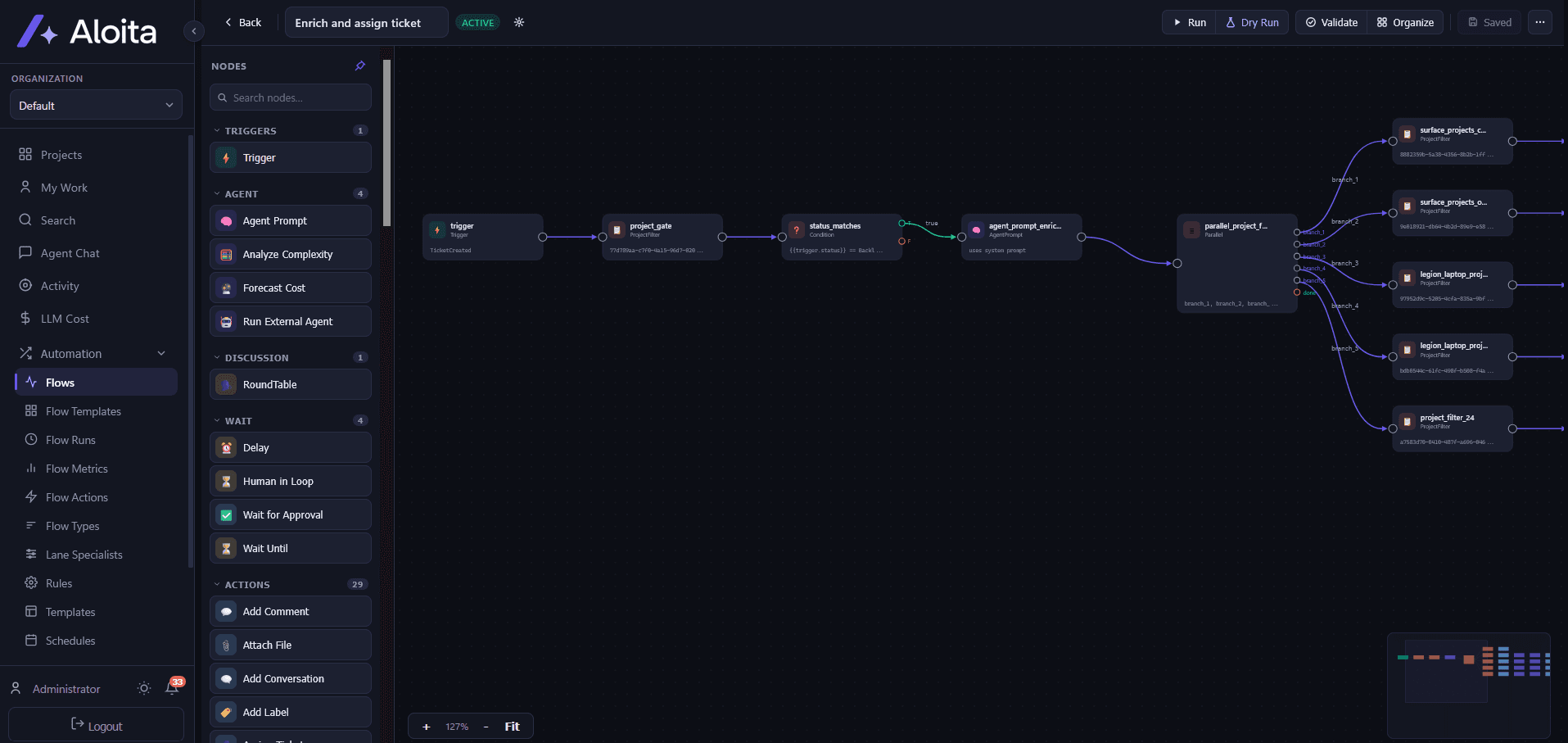
Wire up Flows without writing code
Aloita's visual flow engine turns board events into automated actions. Compose triggers, agent steps, and channel notifications on a drag-and-drop canvas.
From board event to message, automatically
Build once and let it run. Every flow can branch on ticket state, call an agent, and fan out to the messaging channels your team already lives in.
- Drag and drop triggers, conditions, and actions, no code needed
- Fan out to Telegram, WhatsApp, Slack, and Signal
- Branch on ticket state, schedule, or agent output
Connect your channels
Bring the coding agents you already trust
Aloita does not replace your favourite tools. It puts them to work. The best coding agents in the world connect straight to your board and take tickets like teammates.
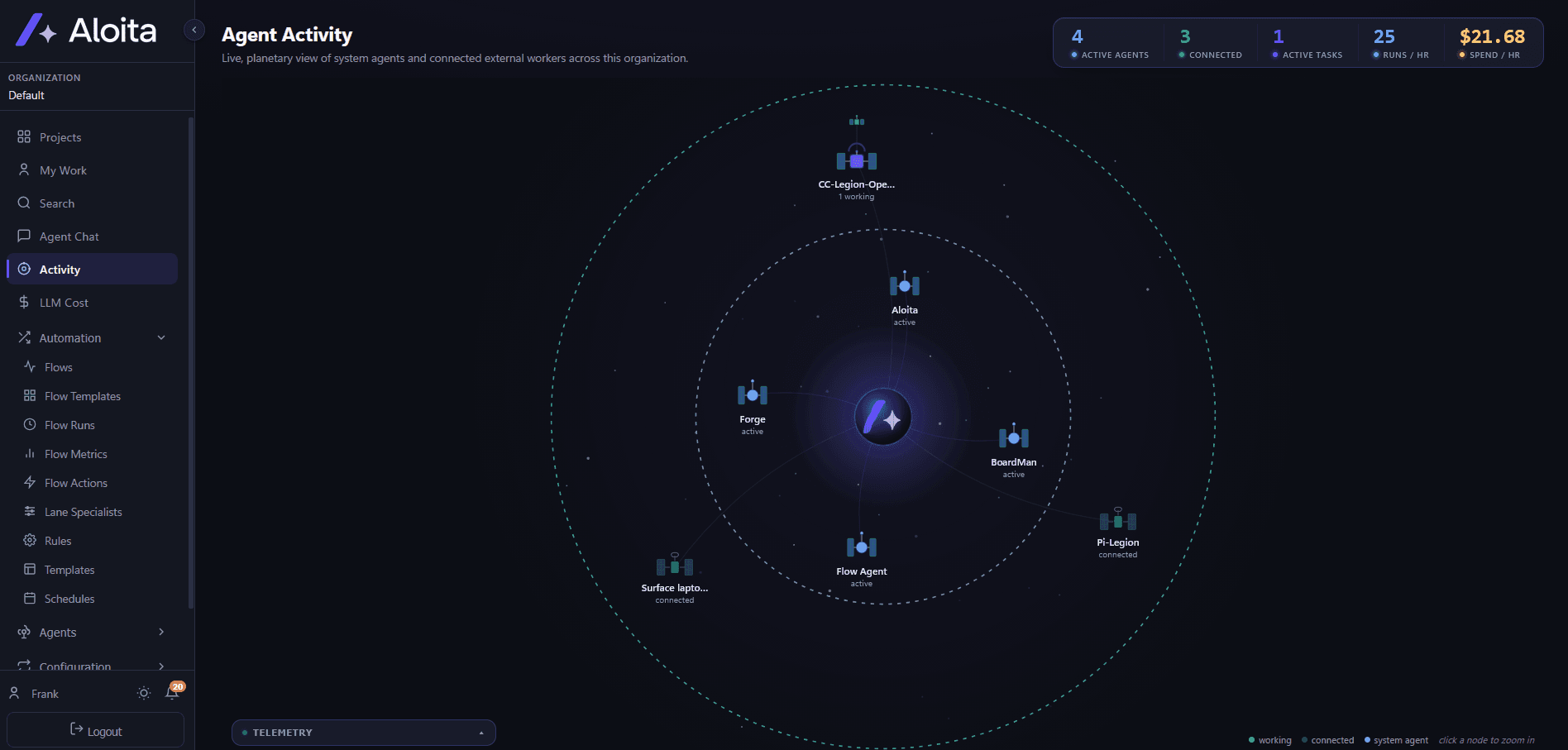
Your board, worked by the best agents in the business
Connect Claude Code, Codex, Pi, or opencode and they show up as workers on your board. Each one picks up tickets, does the work on its own machine, and reports progress, results, and cost back to Aloita. The activity view shows all of them live, in one place.
- Claude Code, Codex, Pi, and opencode connect as workers on your board
- They pick up tickets, do the work, and report back with results
- Every run lands in the activity view, with usage and cost per agent
Connect your agents
Talk to your board. It talks back, then gets to work.
Aloita understands your projects in plain language. Pick a question to see how it responds.
Give me a summary of the board.
You have 19 active tickets across 3 projects. 3 are in progress, 2 are blocked, and 4 landed in Done this week. Want me to dig into the blockers?
- Scanned 3 projects and 19 tickets
- Grouped by status and project
- Flagged 2 blocked tickets for review
Put your backlog on autopilot
See Aloita work a real ticket end-to-end in a 30-minute demo.
No credit card required to explore. Bring your own model.